




 learning center
 product and brands insights
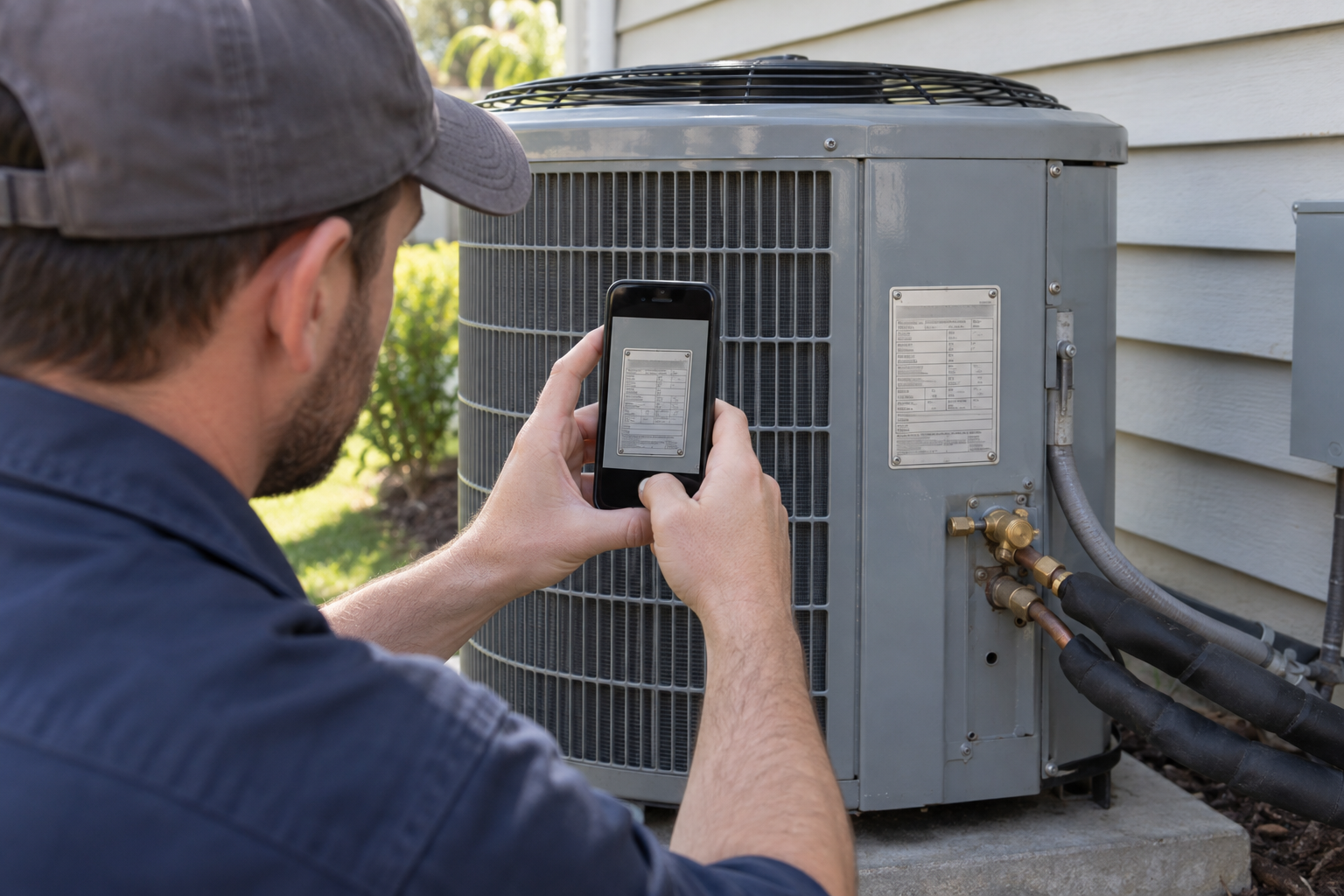
To order HVAC replacement parts, start with the equipment data plate: record the manufacturer, complete unit model and serial numbers, and electrical ratings. Then use the manufacturer's parts information and the failed component's own label to identify the replacement. The unit model number identifies the equipment; it is not a substitute for the component part number.
1. Find and photograph the unit’s data plate
An outdoor condenser and an indoor air handler are separate cabinets: look for the label on the unit that contains the failed part, not its companion unit. Plate locations vary by equipment, so scan accessible cabinet surfaces rather than assuming the label will be in the same place on every unit. If it is not apparent, use the unit's manual to locate it. Photograph the entire plate, then take a wider photo showing which unit it belongs to.
Zoom in on the plate photo before transcribing anything. Make sure every letter, digit, suffix, dash and slash is legible; a misread character can change the model you search. If reaching the label would require opening a compartment that exposes wiring or electrical components, have a qualified technician retrieve the information.
2. Record the model, serial and electrical ratings
Parts can differ between production versions of the same model, so copy the unit serial number in its own field. Copy the manufacturer and complete unit model number exactly as printed. The model identifies the equipment configuration for a parts lookup; the serial can identify which production version applies. Do not shorten either identifier to the characters you think are important.
Also record the plate's rated voltage, phase and frequency. Those describe the unit's electrical supply and help rule out unsuitable candidates; they do not specify every electrical rating of a replacement motor or compressor. For cooling equipment, note the refrigerant designation if it appears on the plate. If a field is absent, do not infer it from a similar-looking model.
3. Read the failed component’s own label
Next, identify the failed part itself. A fan motor, compressor, capacitor or control can carry a label with its own manufacturer, model or part number and ratings that are not printed on the equipment plate. A compressor's nameplate, for example, identifies the compressor and its electrical characteristics separately from the unit nameplate, as described in Copeland's refrigeration installation and service manual. Photograph an accessible component label and copy its complete identifier rather than relying on the unit's model number alone.
If the component label is missing, unreadable or inaccessible, use the complete unit model and serial number to find the component in the manufacturer's parts list, or give those identifiers to a qualified parts specialist. The listed replacement may be an assembly or kit rather than a visually identical individual piece. Leave access to enclosed electrical components to a qualified technician.
4. Match the part to the exact unit and production range
A serial-number range in a parts breakdown can distinguish parts used in different production runs of the same model. For an HVAC model number lookup, find the manufacturer's parts list for the entire unit model, then select the variant and, where listed, the production revision that covers your serial number. Find the failed component in the applicable parts breakdown and record its part number. A similar model may use different parts.
If the original number has been replaced, follow a documented manufacturer-approved replacement or superseded part number; do not assume that a search result labeled "equivalent" applies to your unit. Component manufacturers may provide cross-reference information, such as Copeland's Online Product Information tool, to help identify a proposed replacement. Check that number against the equipment application as well.
Once you have a candidate number, Budget Heating's Service Parts category is a browsing path. Use the specific product listing and the applicable parts breakdown to establish what is offered and whether it matches your unit before ordering.
5. For a fan motor, match its job and operating specifications
For a fan motor replacement, establish its job first: an indoor blower motor moves air through the indoor system, while an outdoor fan motor serves the condenser. Start with the replacement specified for that unit. If considering an approved alternate, compare the old motor's label and the replacement documentation rather than treating a shared voltage or horsepower rating as a complete match.
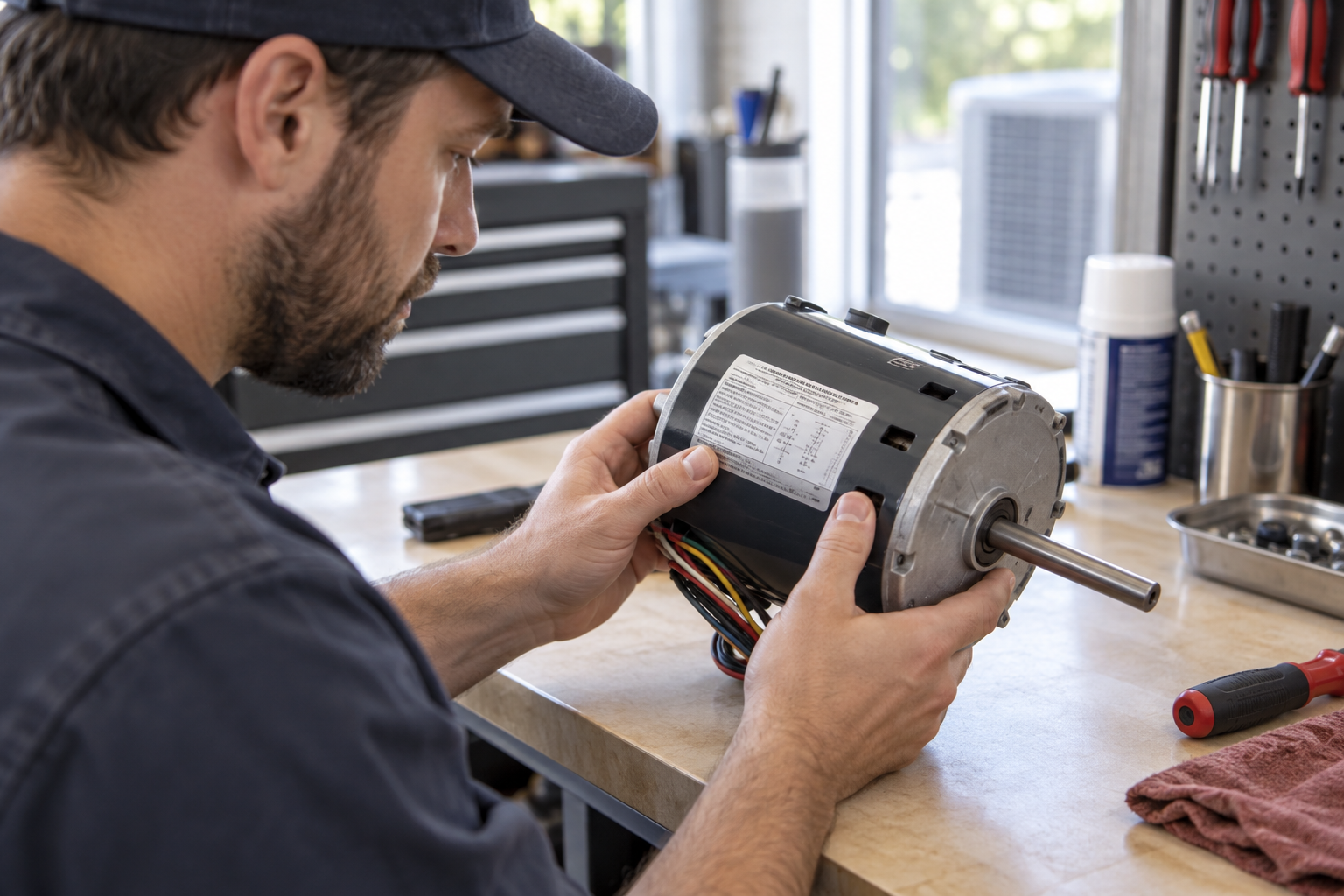
Check the motor type and required electrical ratings, horsepower, speed or RPM, direction of rotation, shaft dimensions and mounting arrangement. For a motor that uses a capacitor, verify the specified capacitor requirement too. The practical differences matter: a motor with the right supply voltage can still turn the wrong way, run at an unsuitable speed or fail to fit the fan assembly. Budget Heating's Fan Motors category lets you browse indoor and outdoor motor options after establishing those requirements.
6. For compressors and other parts, use their own specifications
For a compressor replacement, provide both the unit identifiers and the compressor's full model and nameplate details. Verify the manufacturer-approved replacement for the equipment and refrigerant application, including its electrical requirements, capacity and connection details. Matching voltage, or selecting by system tonnage alone, does not establish that a compressor is suitable. The Compressors category is a place to browse candidates once the required match is known.
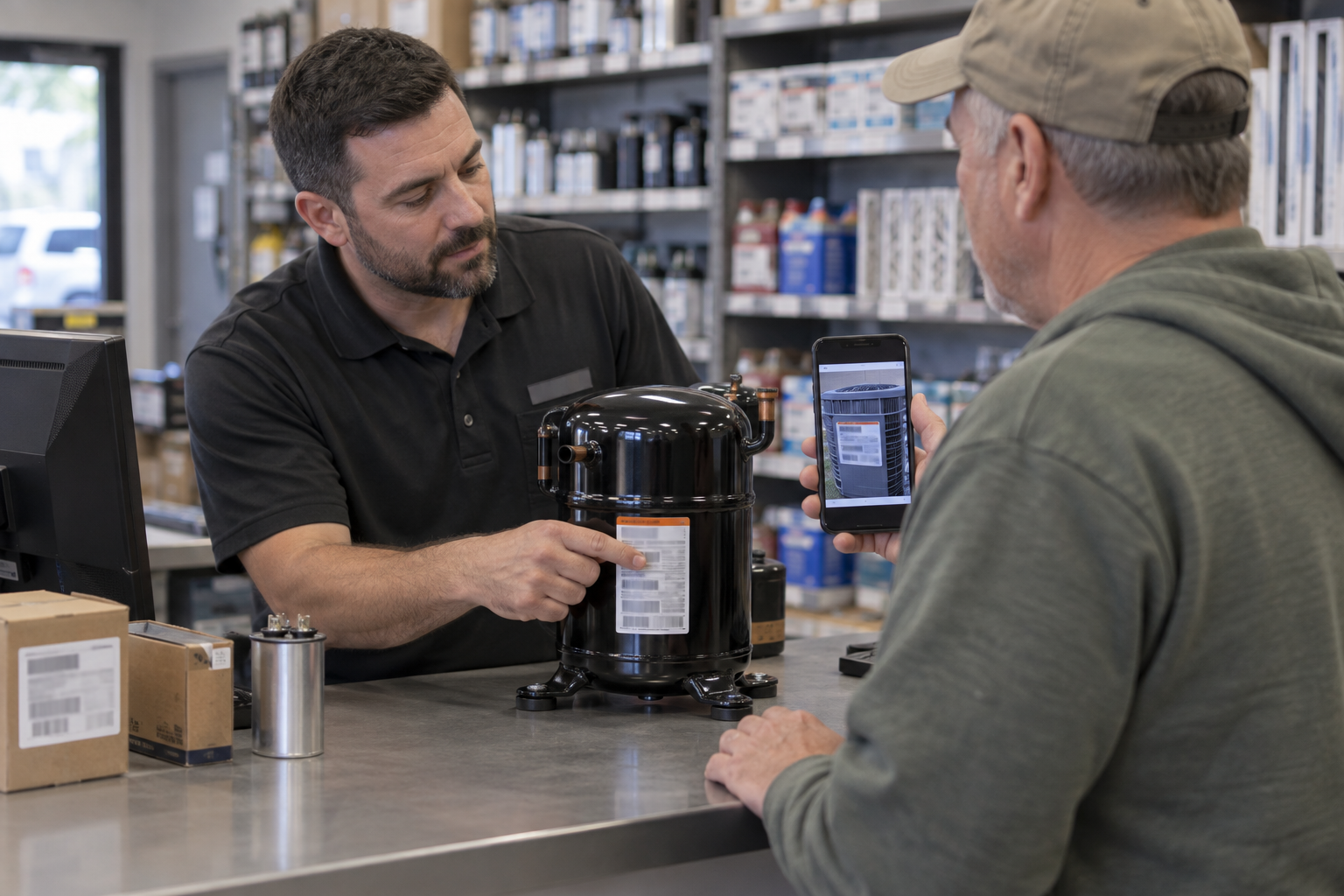
Other service parts call for their own checks. A capacitor needs the specified capacitance and an appropriate voltage rating; a control should be matched by its listed part number or approved replacement. Use the unit's parts information alongside the component marking rather than assuming the equipment plate contains those details.
Bring both sets of identifiers to the parts search
Before placing an order, have the complete unit model and serial number, a clear plate photo, and the failed part's identifier or label photo ready. Include the specifications relevant to that particular part. If the label and parts list point to different numbers, resolve the match through the manufacturer's parts information or a qualified parts specialist before buying.
 Cooling
 Heating
 Money Saving Tips
 Buying Guides
 State by State
 HVAC Systems