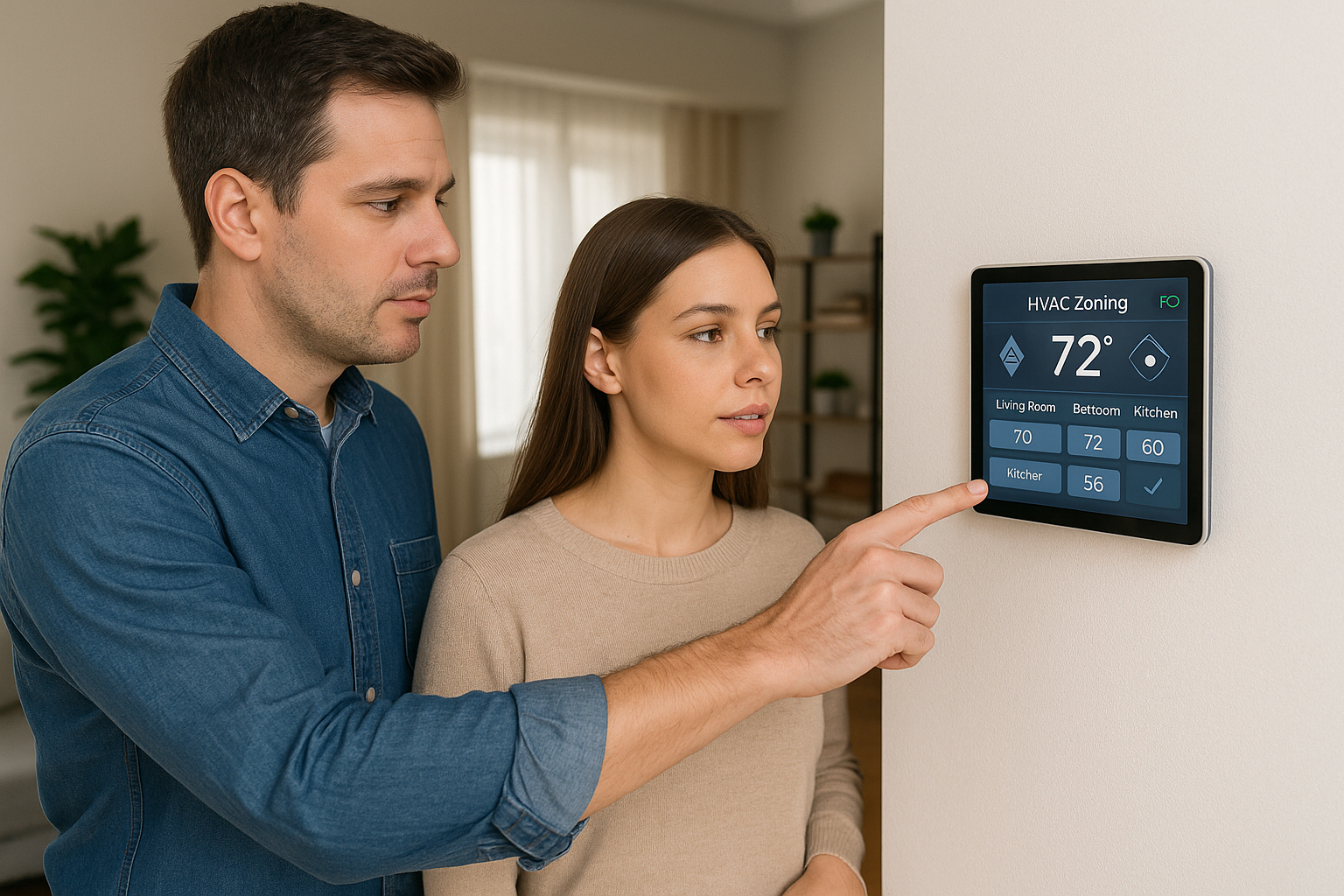





Programmable vs Smart Thermostats: What's the Difference and Why It Matters
Both thermostat types target the same goal: steady comfort with less energy use. Think of a programmable as a reliable alarm clock, and a smart thermostat as a smartphone that learns your routine. A programmable thermostat follows fixed day by day schedules that you set at the device. A smart thermostat adds connectivity, remote app and voice control, learning features, occupancy or geofencing, and data driven optimization.
Either option can lower utility costs and help equipment last longer by trimming unnecessary cycling and keeping temperatures steadier. In our field experience, the savings come from consistent setbacks, not constant fiddling. Programmable units excel when you keep a clear schedule and rarely deviate. Smart models shine when life is less predictable, since they can adjust when you leave early, come home late, or forget to change settings. The tradeoff is straightforward: programmables are lower cost and simple, smart thermostats cost more up front but offer finer control, easier schedule management, and more opportunities to squeeze out additional efficiency.
Quick recommendation: Who should choose a programmable thermostat vs a smart thermostat?
From what we see in the field, use this quick filter.
Choose a programmable thermostat if you:
- Want the lowest upfront cost
- Keep a steady daily routine
- Live in a rental or short term setup
- Prefer offline simplicity with no apps
Choose a smart thermostat if you:
- Own your home and have reliable Wi-Fi or can add a C-wire
- Want remote control, scheduling, and automation
- Participate in TOU or demand-response programs
- Run high-efficiency or variable-speed equipment that benefits from advanced controls
What a Programmable Thermostat Actually Does (and When It's Enough)
Programmable thermostats are schedule driven controls. You pre set temperatures by time and day at the wall unit, then the system follows that plan like a simple alarm clock for your HVAC. In our experience, they shine when the household routine is consistent and someone is willing to program and occasionally tweak the schedule. You handle the manual scheduling: set weekday and weekend blocks, adjust for holidays, and update seasonally.
- Strengths: low upfront cost (typically in the low tens to low hundreds of dollars), relative simplicity, and operation without Wi-Fi or ongoing data collection.
- Limitations: require ongoing schedule management and generally lack remote control, learning features, or deep smart home integration.
- Best fit: homeowners with stable routines who will program and periodically adjust settings.
Head to Head at a Glance: Key Differences Between Programmable and Smart Thermostats
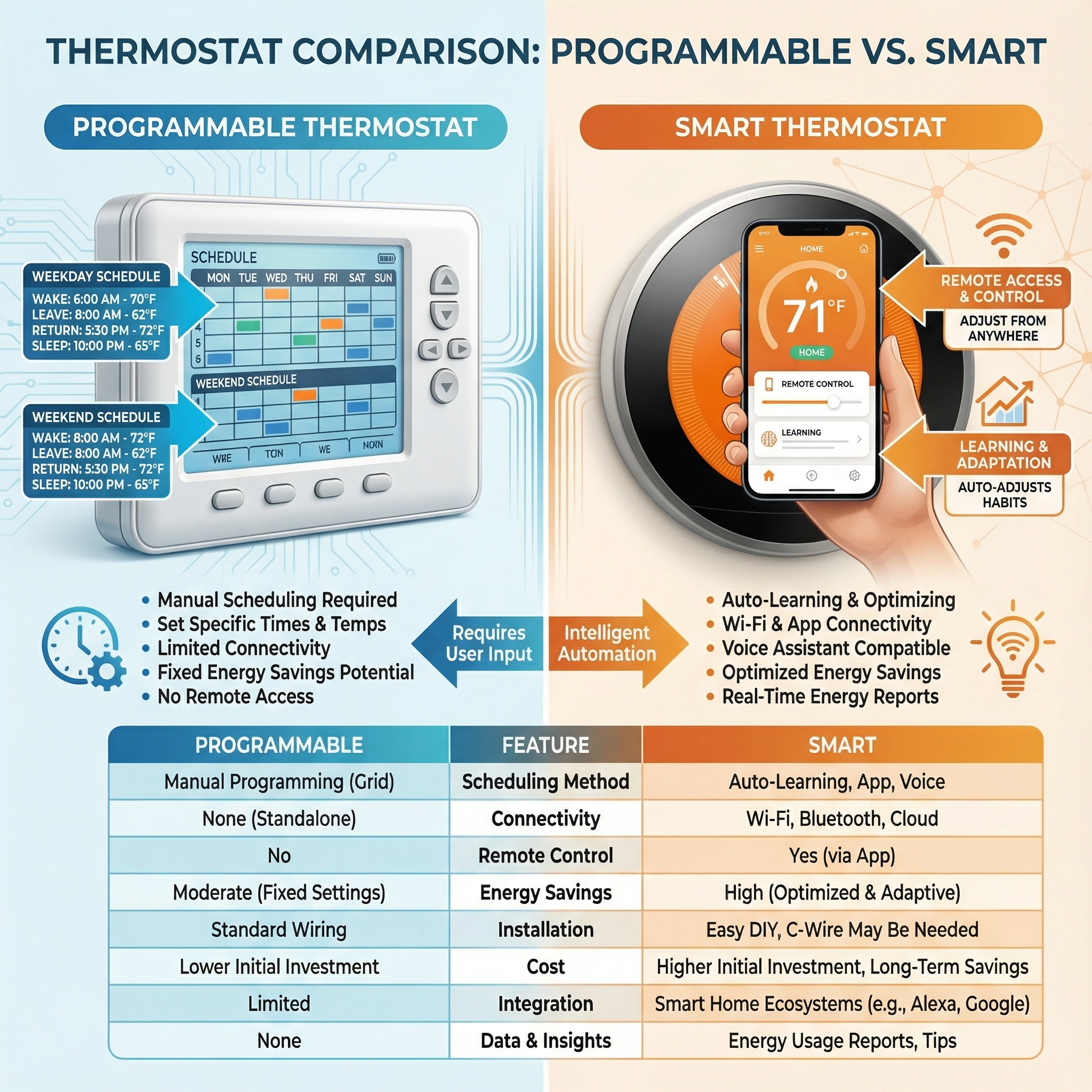
From decades of field work, we see the split come down to how each handles schedule, control, and automation. Use this quick checklist, then explore details later in this article.
- Scheduling: fixed blocks you set for weekdays or weekends vs adaptive schedules that learn your patterns.
- Control: wall-mounted controls and simple displays vs full app and voice control from anywhere.
- Automation: manual setbacks and recurring holds vs learning routines plus occupancy sensing to avoid conditioning empty rooms.
- Installation: simple wiring on most legacy systems vs potential C-wire requirement and power kits on newer smart models.
- Energy management: basic setbacks and vacation mode vs cloud-driven optimization, runtime insights, and utility demand response.
- Integration: standalone device vs smart-home platforms and utility programs.
Energy savings and ROI: Costs, Typical Savings, and Payback
Upfront cost and savings often decide thermostat choice. With an HVAC spend around $1,300 per year, a programmable typically trims about 7 percent, roughly $91 per year. A smart model with occupancy and schedule features averages near 15 percent, about $195 per year. Results hinge on setpoints and how consistently setbacks are used.
- Upfront costs: programmable about $50, smart about $250.
- Simple payback: cost divided by annual savings. Programmable about 0.5 to 0.6 years (50 divided by about 91), smart about 1.3 years (250 divided by about 195).
- Brand estimates: Nest 10 to 12 percent; Ecobee 10 to 23; Honeywell smart 10 to 15; Emerson Sensi 5 to 10; programmable Honeywell 5 to 8.
- Home size: smaller homes often see 5 to 15 percent. Larger or multi zone systems yield higher dollar savings with sensors and zoning.
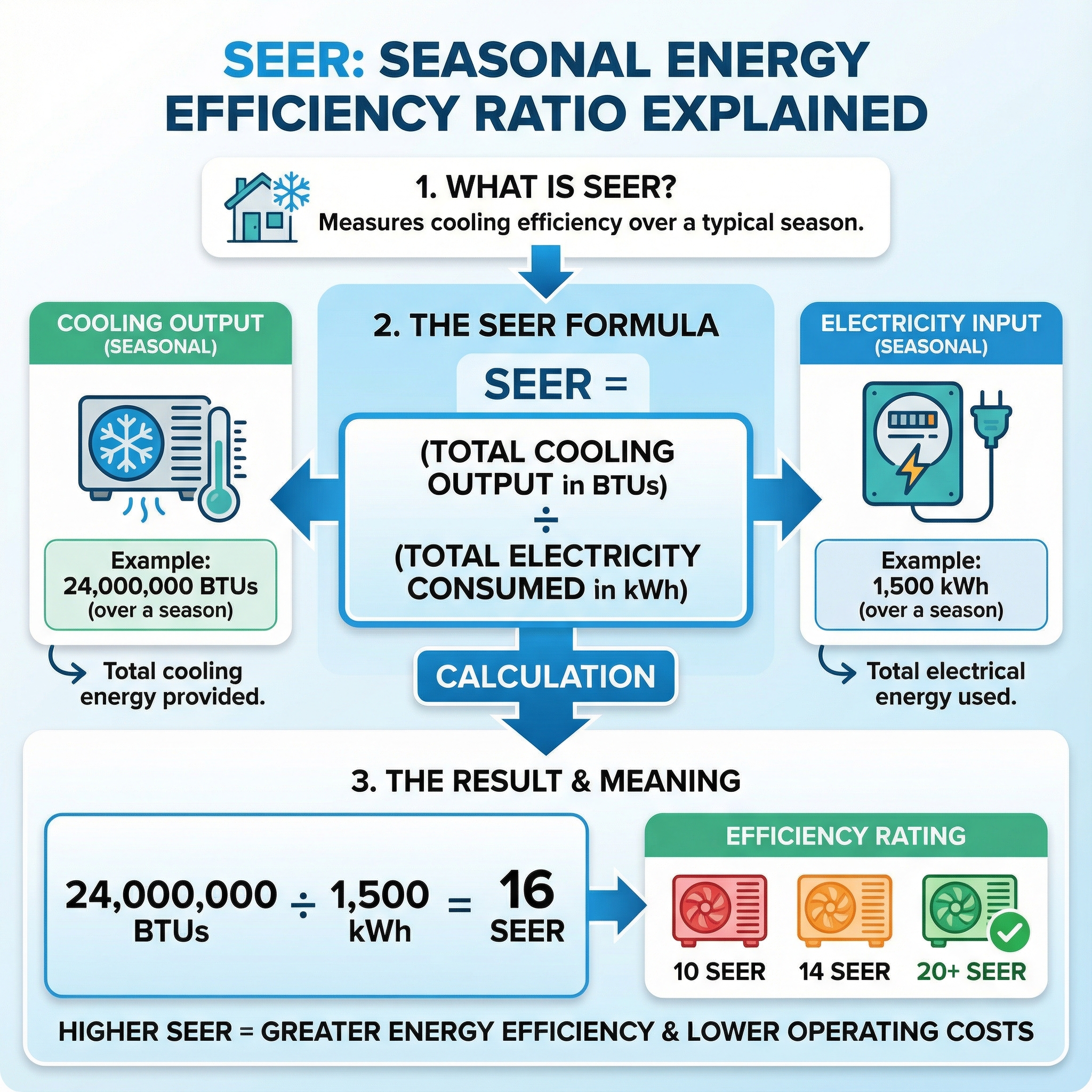
SEER and SEER2 rate the efficiency of the cooling equipment itself. Higher SEER means fewer kilowatt hours per hour of cooling. A thermostat does not change SEER, it determines run time. Smarter control helps capture rated efficiency by trimming unnecessary cycles.
ENERGY STAR certifies select smart thermostats using field measured savings against programmable baselines, and that label often ties to utility rebate eligibility. Rebates reduce net cost, so payback shortens proportionally. Think of the thermostat as a traffic officer for the system, sending it only when needed so efficiency on paper shows up on the bill.
What a Smart Thermostat Does: Features That Earn the 'Smart' Label
Beyond basic scheduling, smart thermostats learn your routine by watching the changes you make and using occupancy sensors to see when spaces are actually used. Over time they build adaptive schedules that trim runtime when rooms are empty and pre-heat or pre-cool before you arrive. Geofencing uses your phone's location to switch to Away as you leave the neighborhood and back to Comfort as you return. Remote control comes through the vendor's cloud, so you get app and voice control anywhere, energy reports that spotlight waste, and diagnostic insights that can flag issues before they become service calls. They also integrate with smart-home platforms and utility demand-response or time-of-use programs to shift load to cheaper hours. Room sensors help balance hot and cool spots for steadier comfort. In our experience at Budget Heating (BudgetHeating.com), the tradeoff is cost in the low hundreds and the need for reliable Wi-Fi and cloud uptime.
Features Compared: Scheduling, Remote Control, Learning, Integration and TOU Support
Use this framework: scheduling and remote control, learning and occupancy, comfort balancing, and utility integration. Choose what fits your climate and rate plan.
- Scheduling and remote: Both handle night and away setbacks. Smart adds app control for quick tweaks on the go.
- Learning and occupancy: Smart adds learning, occupancy sensing, geofencing, and internet weather. In our experience at Budget Heating (BudgetHeating.com), these shine with irregular schedules.
- Comfort balancing: Smart can pre-heat or pre-cool before arrival and use remote room sensors. Programmable offers repeatable comfort.
- Utility and TOU: Smart can pre-condition before peaks, throttle during peaks, and join utility programs with possible rebates.
Climate tip: hot regions benefit from pre-cooling before late-day peaks, cold zones from early pre-heat. If your routine is fixed, scheduling alone can be sufficient.
Tradeoffs & When These Thermostats Aren't the Right Choice (Honest Limitations)
Smart and programmable thermostats have tradeoffs. Myths to clear up: a programmable thermostat only saves if you program it, a smart thermostat is not better for every home since value depends on routine, budget, and connectivity, and most smart features require Wi Fi.
- Stable schedule: With predictable routines, a basic programmable can match savings once set correctly, while avoiding app setup and cloud dependency.
- Very cold climates with heat pumps: Deep setbacks often fire inefficient auxiliary heat. Use heat pump aware controls with minimal setbacks, or correctly configured backup heat. In extreme cold, alternative heat can work better. Professional pairing of controls is wise.
- Unreliable Wi Fi or privacy concerns: Remote access, learning, energy reports, and updates rely on the network. If service is spotty or data sharing is unwanted, choose a non connected programmable model.
- Renters or temporary setups: Simple non connected thermostats avoid account creation, wall changes, and higher upfront cost.
How to Choose: A Simple Decision Checklist for Your Home
Use this straightforward checklist as your buying and setup plan, like mapping a road trip before you drive.
- Clarify routine and comfort goals, daily schedules, setbacks, and priority rooms.
- Identify system type and wiring, confirm a C wire is present.
- Verify thermostat compatibility with stage counts, heat pump with aux, humidifier or dehumidifier, ventilator, add on sensors, and any zoning panel.
- Review utility rate plans, especially time of use, and available rebates, then shortlist models that qualify.
- Factor climate and humidity needs, choose controls suited to hot humid or cold dry seasons.
- Decide on remote control and privacy preferences, app access, voice, and data sharing.
- Build a budget and estimate ROI from schedule optimization and TOU shifting, include plates, adapters, and sensors.
- Plan installation, DIY only for simple one to one swaps. When in doubt, use a qualified HVAC or electrical pro, especially for wiring changes, complex heat pump setups, or to meet rebate rules.
- After setup, enable learning, geofencing, and occupancy features.
- Place the thermostat correctly, avoid sunlight, supply registers, exterior walls, and kitchens.
- Document model, serial, wiring photos, setup screens, and receipts for warranty or rebate.
Special cases: For vacation or rental properties, prefer remote monitoring, lockout limits, and alerts. For zoned homes, confirm the control strategy and sensor compatibility.
Final Verdict: Which Thermostat Should You Buy (and Next Steps)
Bottom line: pick a programmable thermostat if your schedule is steady and you want a low upfront cost. Choose a smart thermostat for automation, remote control, utility program participation, and typically higher long term savings. To maximize ROI, verify wiring and system compatibility, enable energy features, check ENERGY STAR rebates, and pair the thermostat with efficient equipment.
We have 30+ years in HVAC. If you want a second set of eyes, our U.S.-based techs will review your setup and point you to the right fit.
- Get a Custom Quote
- Talk to Our Team by phone for fast, real support
- Shop Thermostats at wholesale pricing with free shipping